# 4.Hướng dẫn đặt xe

Tại màn hình chính của ứng dụng&#x20;

### **1. Đặt "Tài xế ô tô / Tài xế xe máy**

Bước 1: Bấm "Tài xế ô tô"&#x20;

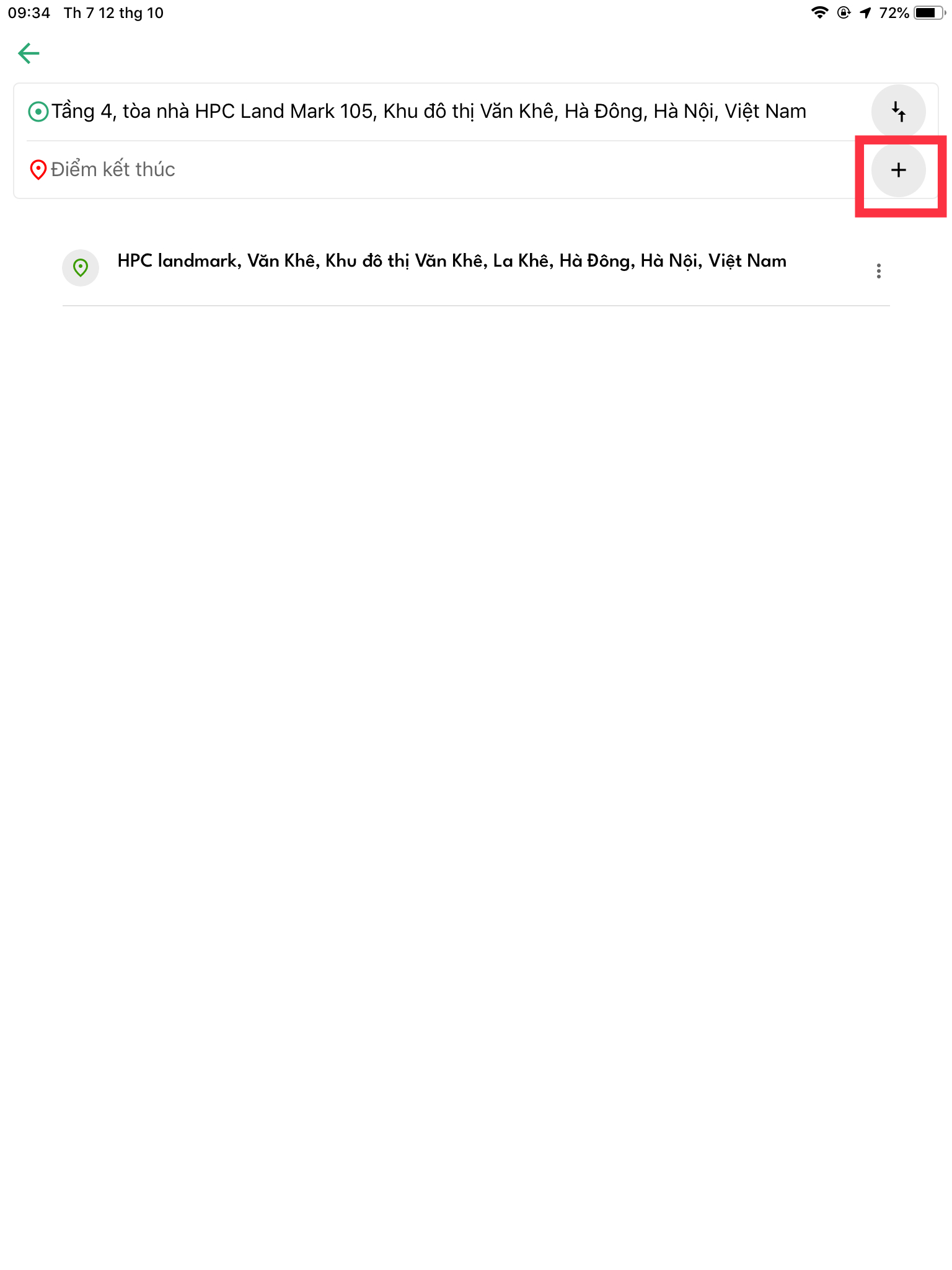
Bước 2: Nhập điểm xuất phát và điểm kết thúc

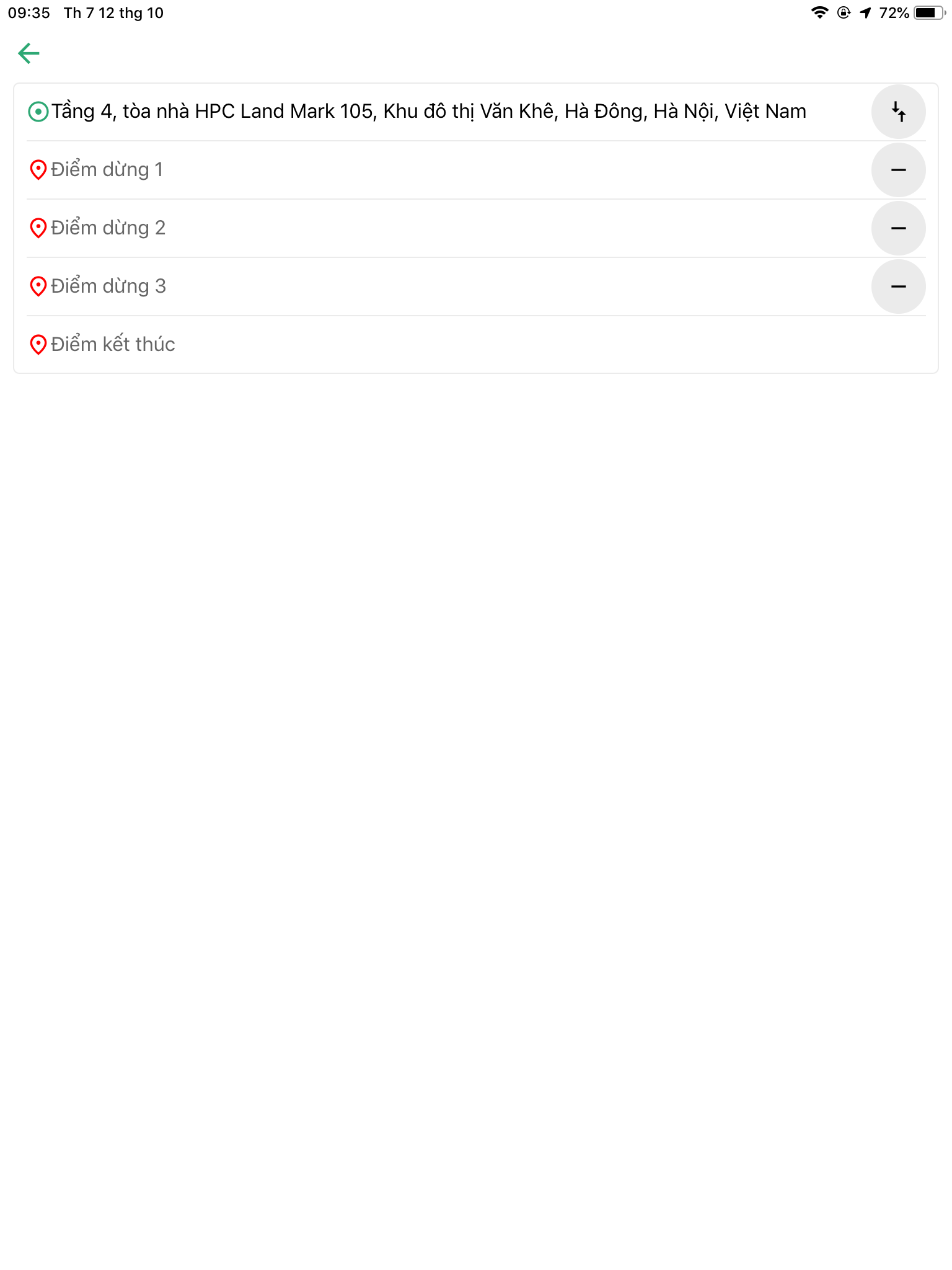
<div><figure><img src="/files/7b22KDnRAZaFn2PBg52e" alt=""><figcaption></figcaption></figure> <figure><img src="/files/Adwds8eMqRp2JInnjfsi" alt=""><figcaption></figcaption></figure></div>

* Bấm + nếu muốn thêm nhiều điểm dừng&#x20;
* Bấm - nếu muốn huỷ điểm dừng&#x20;

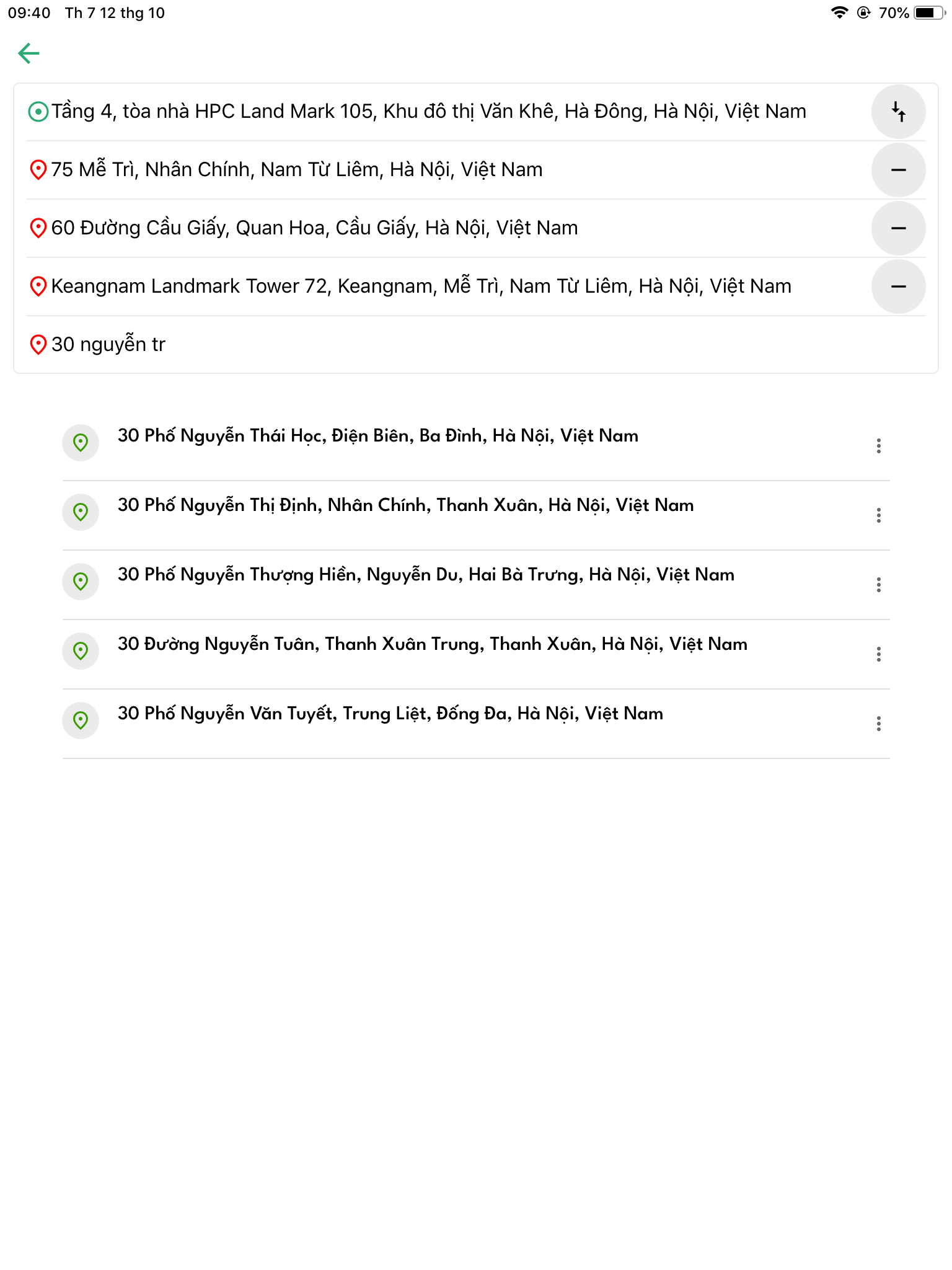
<figure><img src="/files/VcoOeMST0ta79G6UBQKd" alt="" width="375"><figcaption></figcaption></figure>

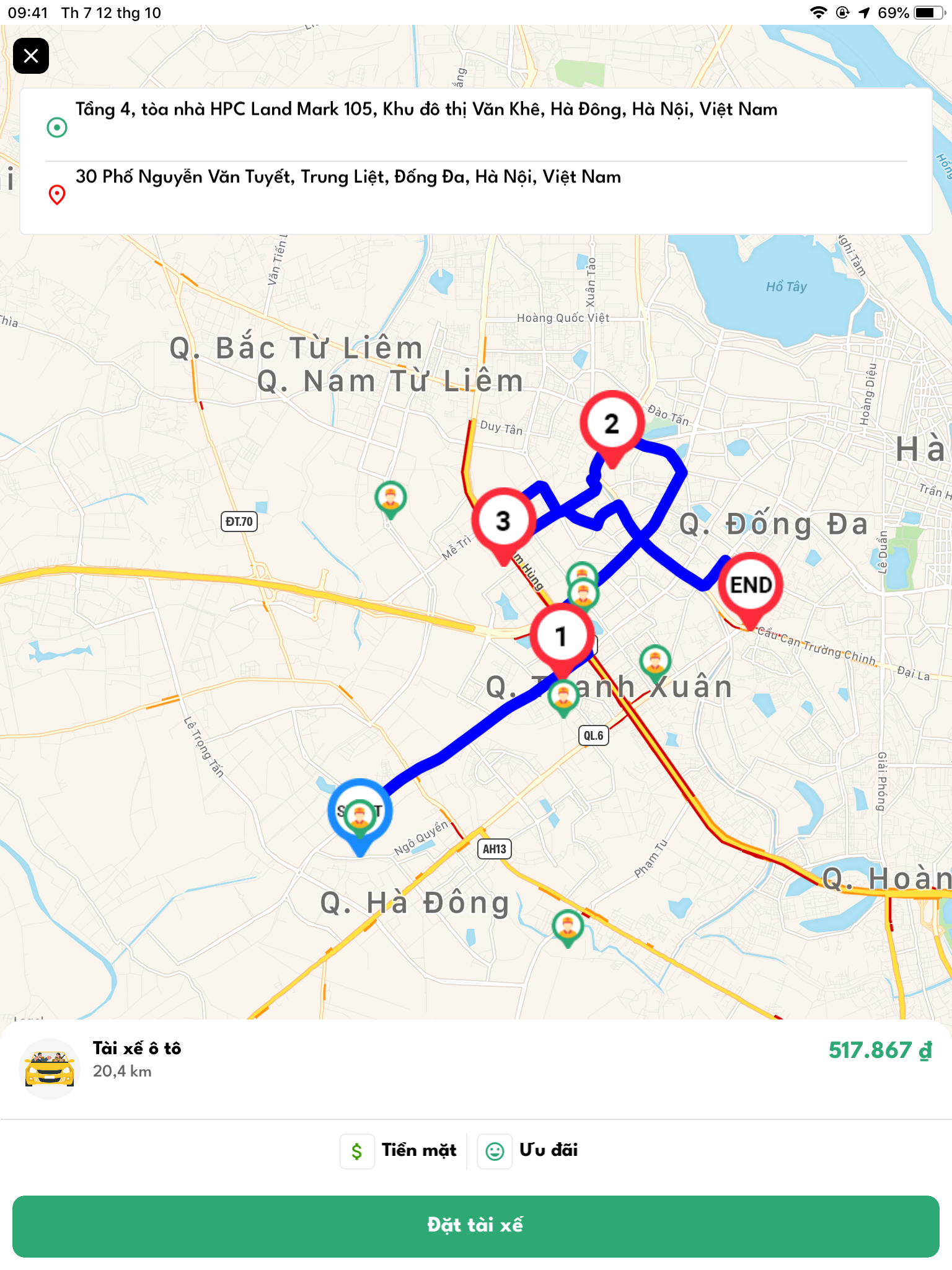
nhập đủ địa điểm dừng -> ứng dụng tự động chuyển màn hình map&#x20;

<figure><img src="/files/7u85zb5eK6Pm8yugZOcp" alt="" width="375"><figcaption></figcaption></figure>

Bước 3: Bấm "Đặt tài xế" hoặc icon  X  -> để huỷ chuyến&#x20;

<figure><img src="/files/hO3jtwjgR028bA3SqEFc" alt="" width="375"><figcaption></figcaption></figure>

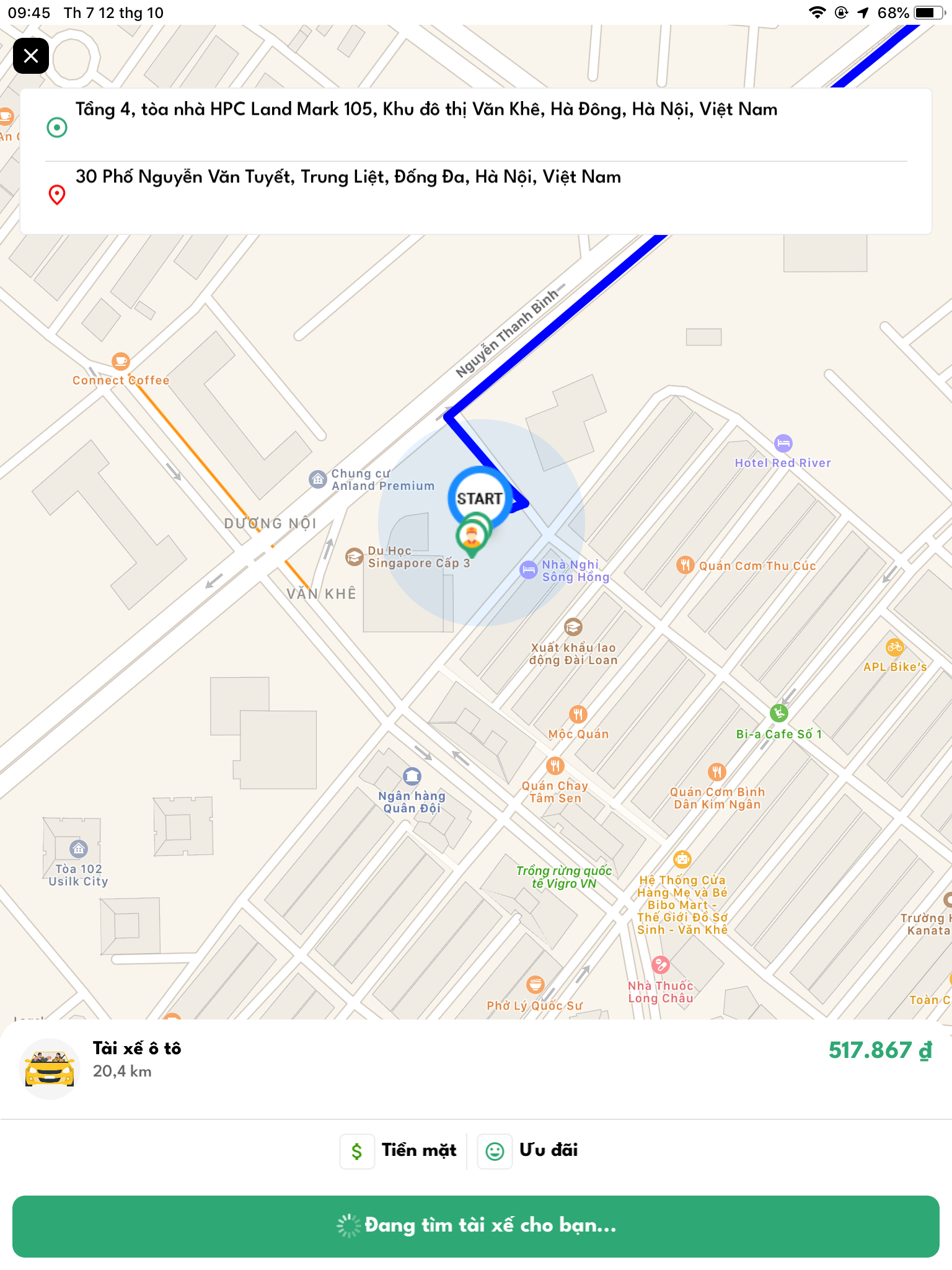
Đợi khoảng 4 phút nếu không có tài xế nhận cuốc, cuốc xe của bạn sẽ bị huỷ&#x20;

<figure><img src="/files/QYugUzL8ySNq2eGPmFpA" alt="" width="375"><figcaption></figcaption></figure>

Bước 4: Bấm " Huỷ chuyến" nếu bạn muốn huỷ cuốc xe này, màn hình hiển thị như sau:&#x20;

<figure><img src="/files/5vFVUozA7do1KE9eeibI" alt="" width="375"><figcaption></figcaption></figure>

Bước 5: Bấm " Bỏ qua" &#x20;

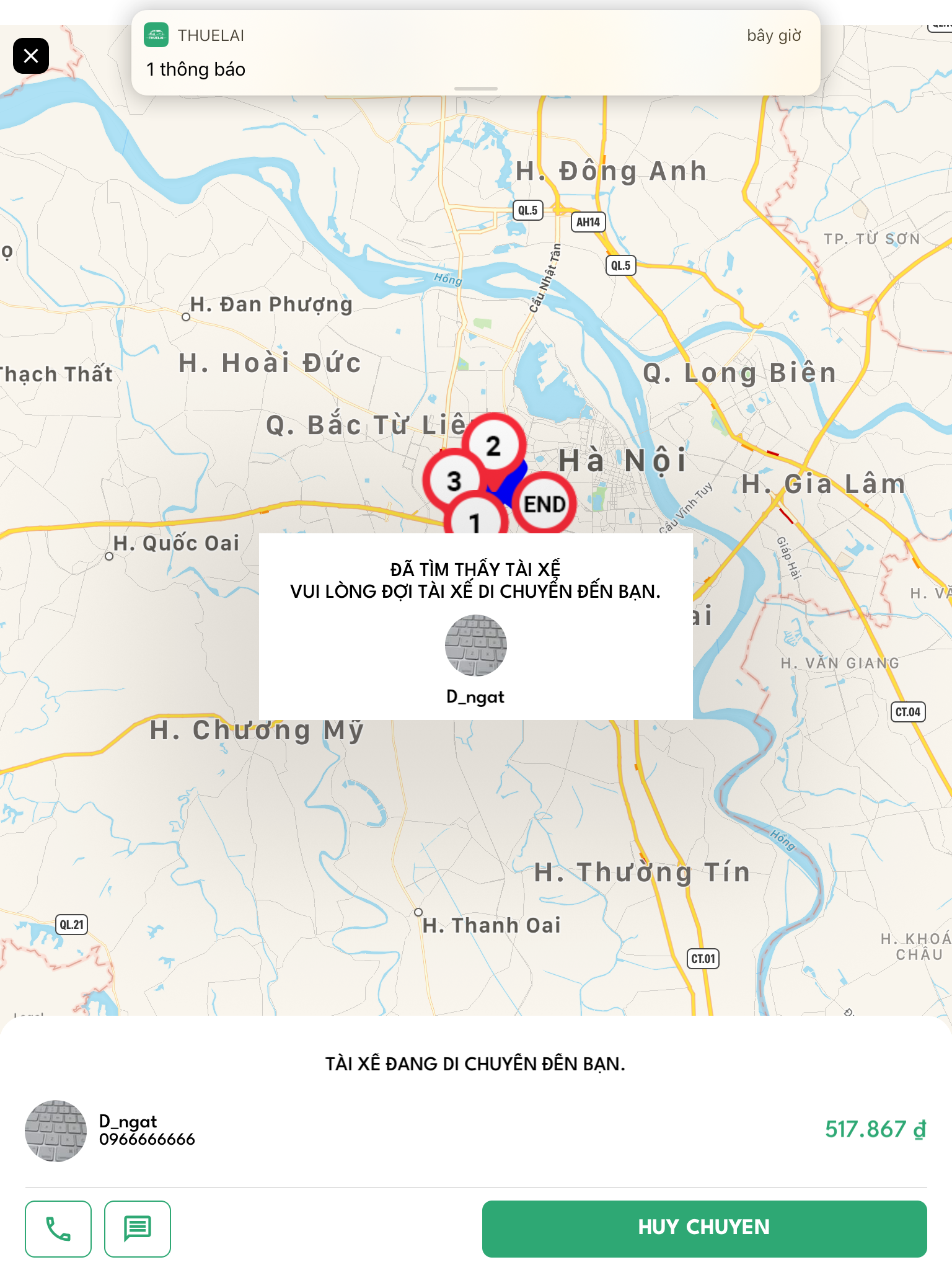
* &#x20;Khi Tài xế Bấm "Xuất phát" -> Lúc này tài xế đã đón bạn và di chuyển di chuyển đến các điểm dừng màn hình hiển thị như sau:

<figure><img src="/files/UK6zKPkWZFnNTw6JHo6i" alt="" width="375"><figcaption></figcaption></figure>

Khi tài xế kết thúc cuốc xe màn hình hiển thị như sau:&#x20;

<figure><img src="/files/Cvdm0OrAoUrCjK1PPonI" alt="" width="375"><figcaption></figcaption></figure>

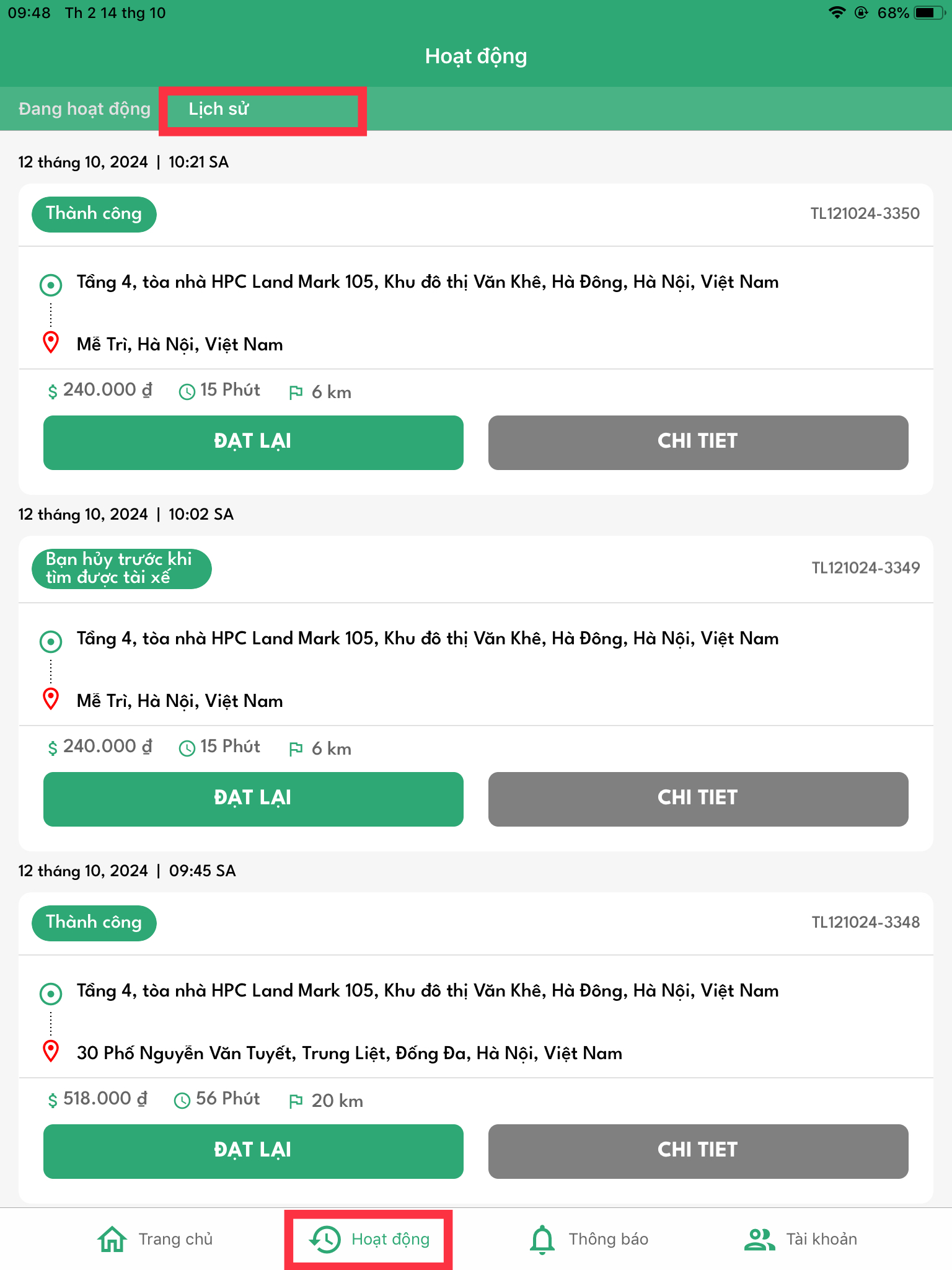
Lịch sử cuốc xe vừa đi được lưu tại&#x20;

<figure><img src="/files/I6xMrffviM4w1pk3OQzA" alt="" width="375"><figcaption></figcaption></figure>

### **2. Đặt " Tài xế theo ngày"**

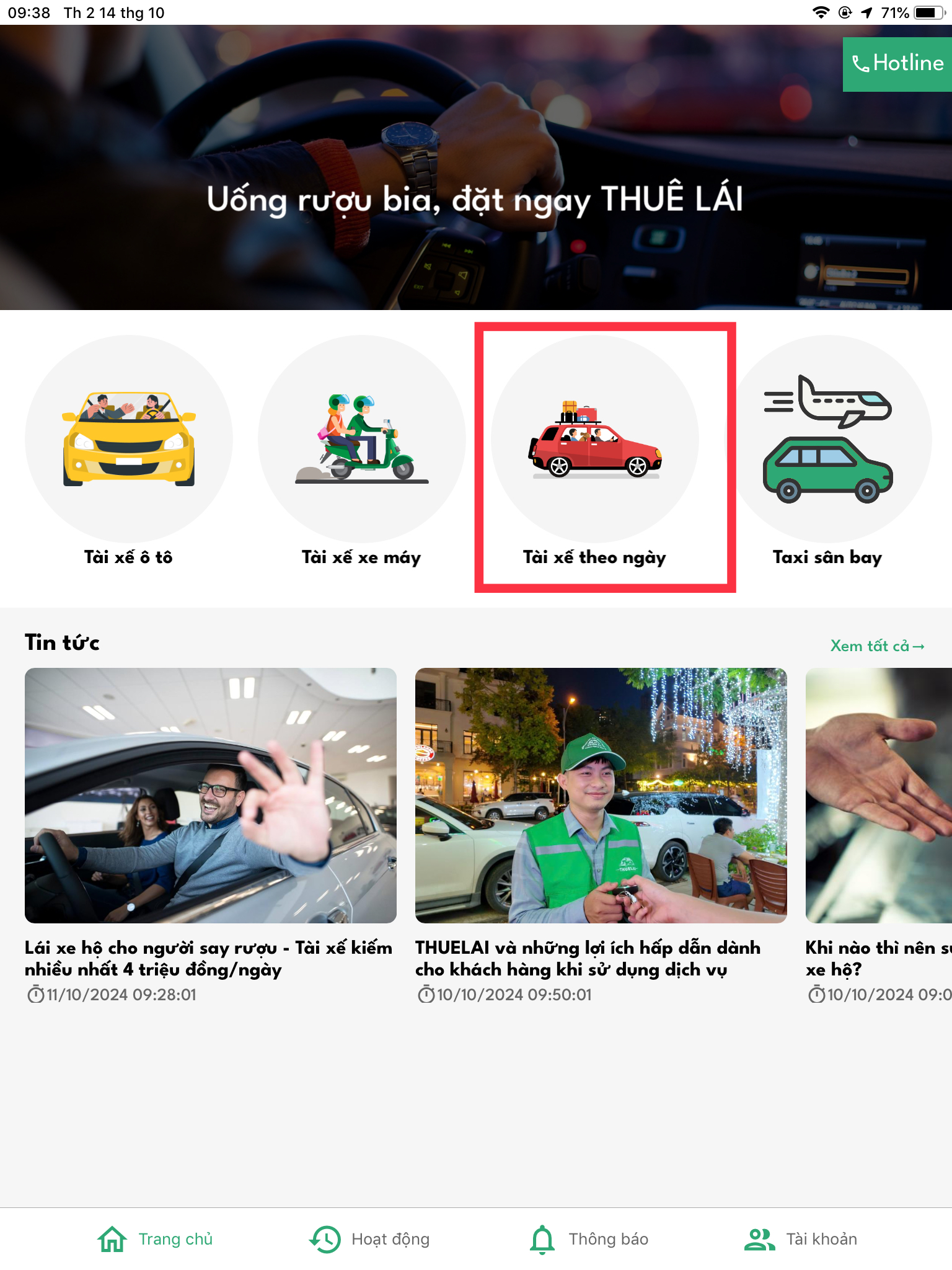
Bước 1: Bấm " Tài xế theo ngày"&#x20;

<figure><img src="/files/6mzNhutN0IkKprcRVsyT" alt="" width="375"><figcaption></figcaption></figure>

Bước 2:&#x20;

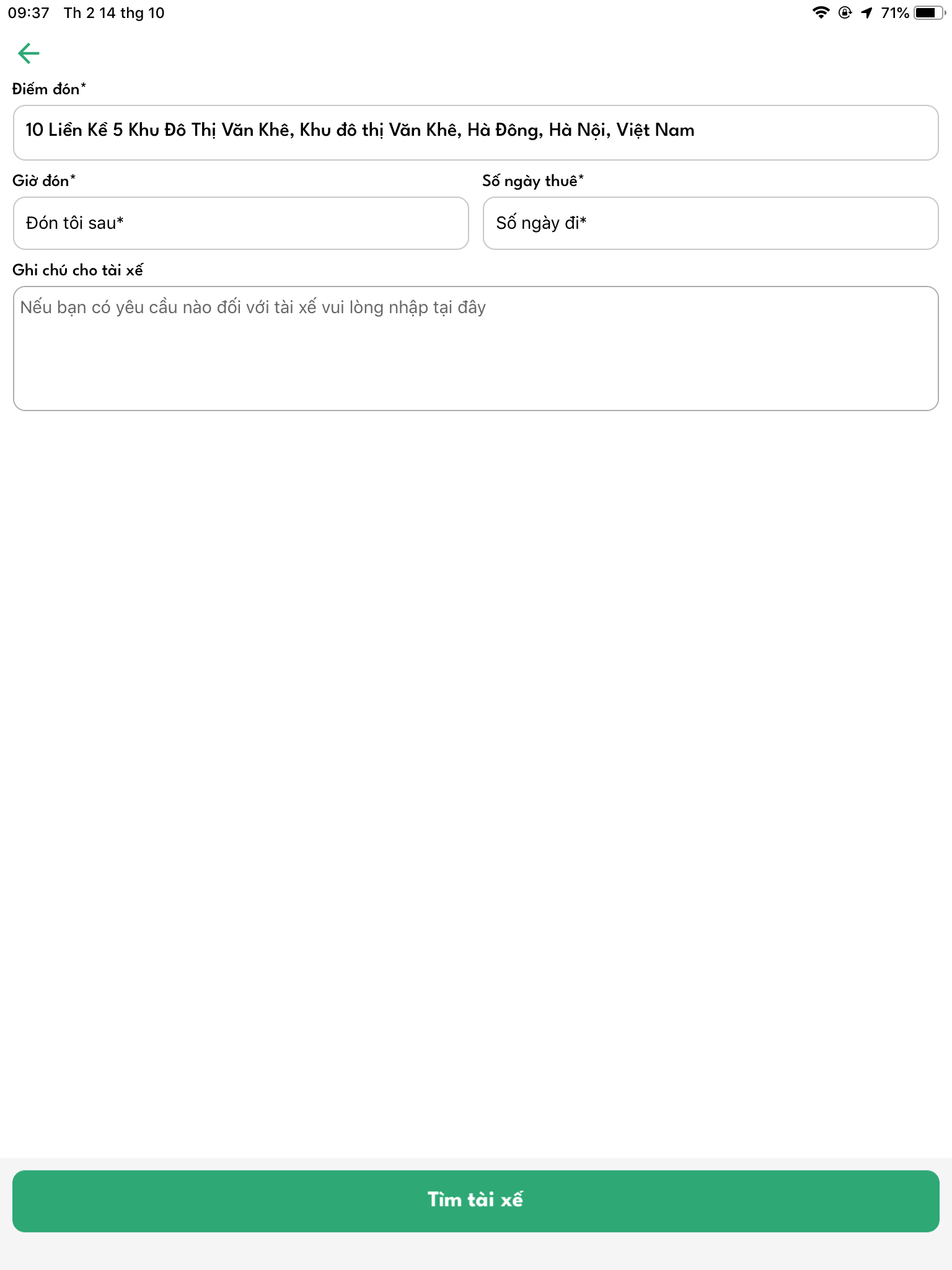
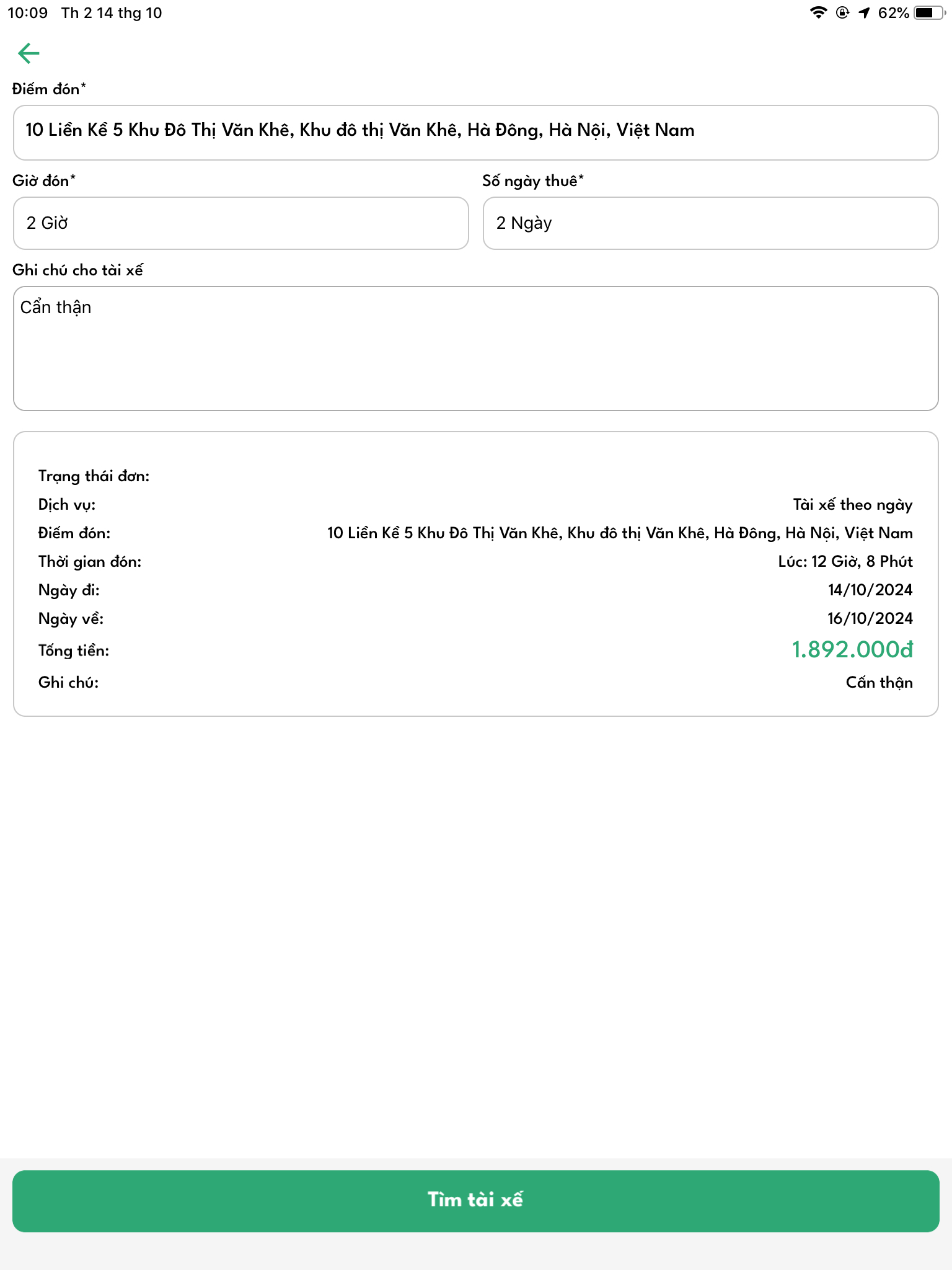
* Chọn Giờ đón (bắt buộc)
* Chọn Số ngày thuê: (bắt buộc)
* Ghi chú cho tài xế : (không bắt buộc nhập)

<div><figure><img src="/files/HDDeVUSSSZ6n3mK5ecZk" alt=""><figcaption></figcaption></figure> <figure><img src="/files/WH9635Bhlo5e1VY3i9WI" alt=""><figcaption></figcaption></figure></div>

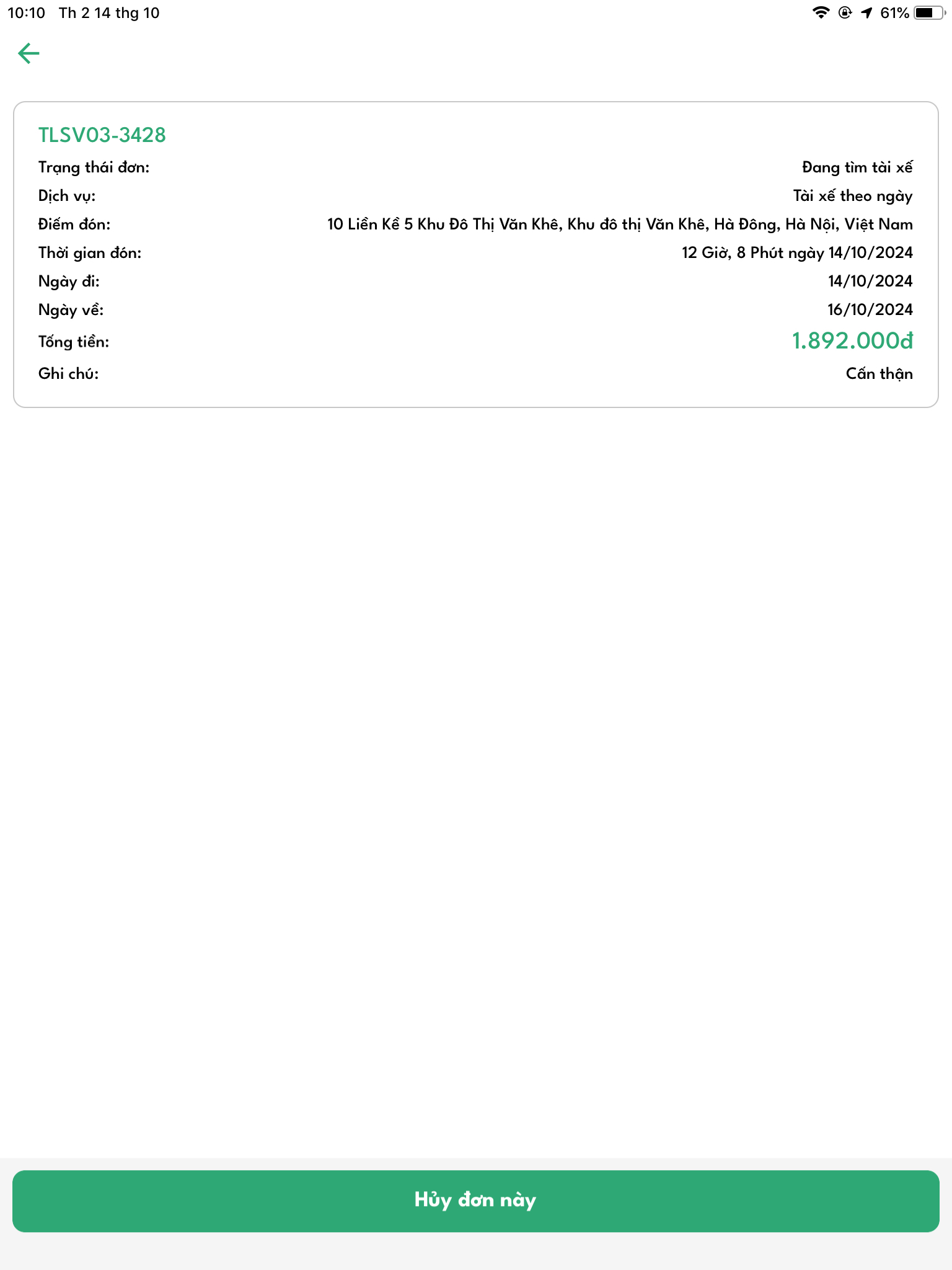
-> Bấm "Tìm tài xế"&#x20;

<figure><img src="/files/3ek7ANKTIKixoEmD9gTt" alt="" width="375"><figcaption></figcaption></figure>

<figure><img src="/files/48w95uzrhsyzqPlBx5lw" alt="" width="375"><figcaption></figcaption></figure>

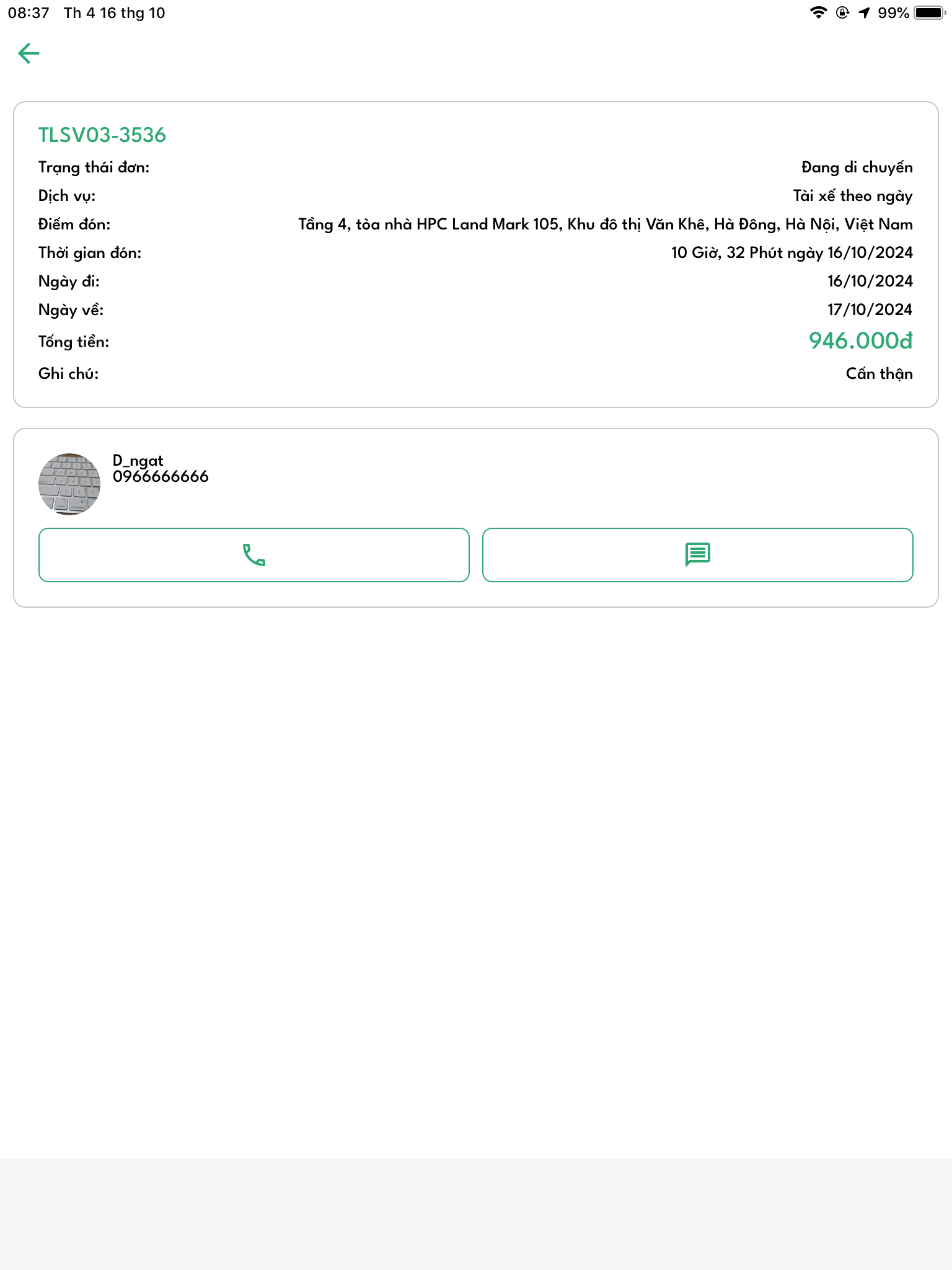
&#x20;-> Tài xế đang di chuyển đến bạn -> không còn nút "Huỷ đơn này" *(bạn không thể huỷ chuyến xe này)*

<figure><img src="/files/1V0OVTFcNWrtgksHRuaT" alt="" width="375"><figcaption></figcaption></figure>

-> sau khi cuốc xe của bạn hoàn thành sẽ được lại lưu lại

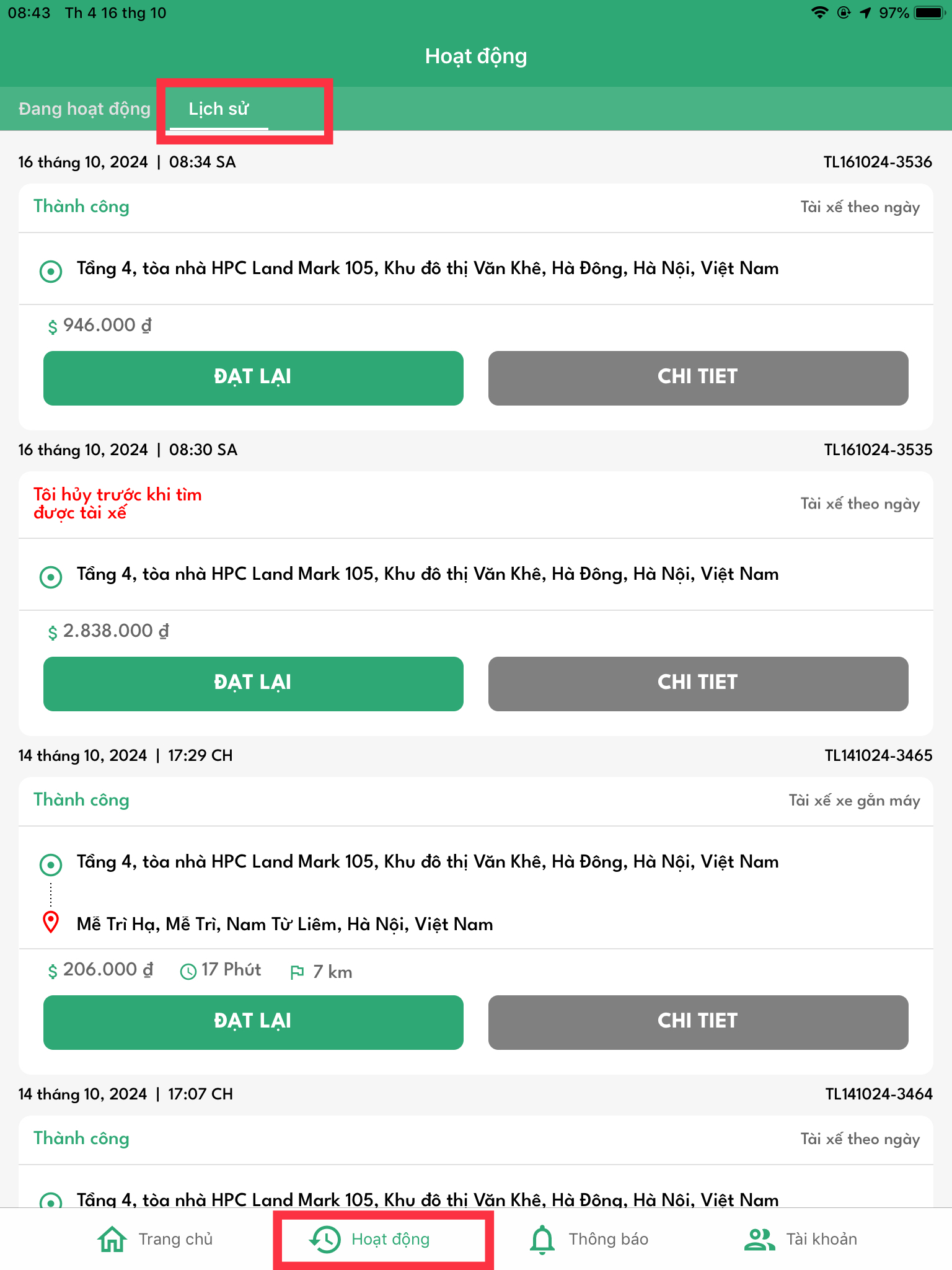
Bước 3: Tại màn hình chính bấm "Hoạt động" -> Bấm " Lịch sử -> Bấm "Chi tiết"&#x20;

<figure><img src="/files/tlCB1hjafcabN4gcrloS" alt="" width="375"><figcaption></figcaption></figure>

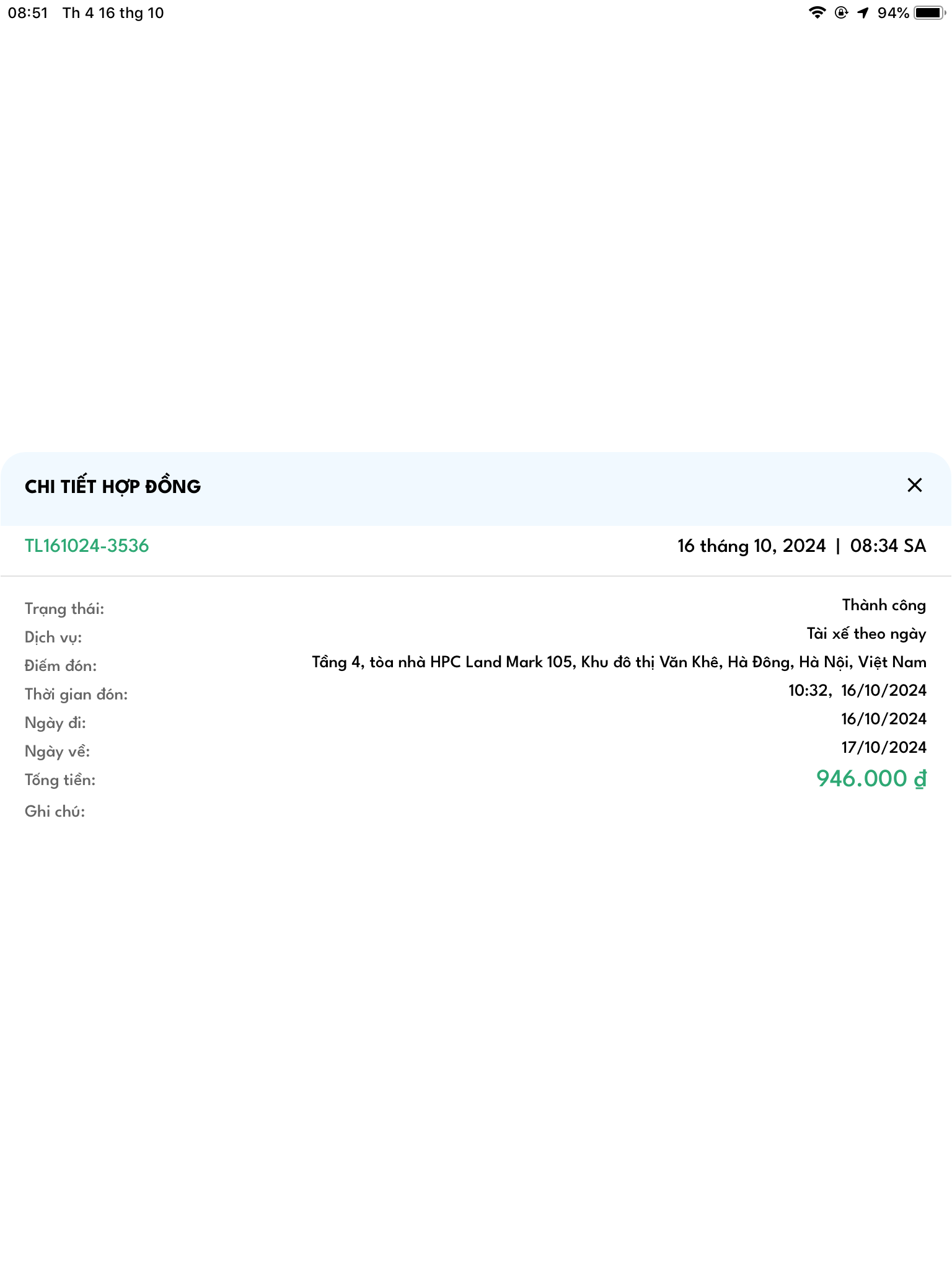
Màn hình hiển thị như sau:&#x20;

<figure><img src="/files/99geDTW2Sj06nj3zb6PP" alt="" width="375"><figcaption></figcaption></figure>


---

# Agent Instructions: Querying This Documentation

If you need additional information that is not directly available in this page, you can query the documentation dynamically by asking a question.

Perform an HTTP GET request on the current page URL with the `ask` query parameter:

```
GET https://docs.thuelai.app/huong-dan-su-dung-ung-dung-thuelai-cho-nguoi-dung/4.huong-dan-dat-xe.md?ask=<question>
```

The question should be specific, self-contained, and written in natural language.
The response will contain a direct answer to the question and relevant excerpts and sources from the documentation.

Use this mechanism when the answer is not explicitly present in the current page, you need clarification or additional context, or you want to retrieve related documentation sections.